
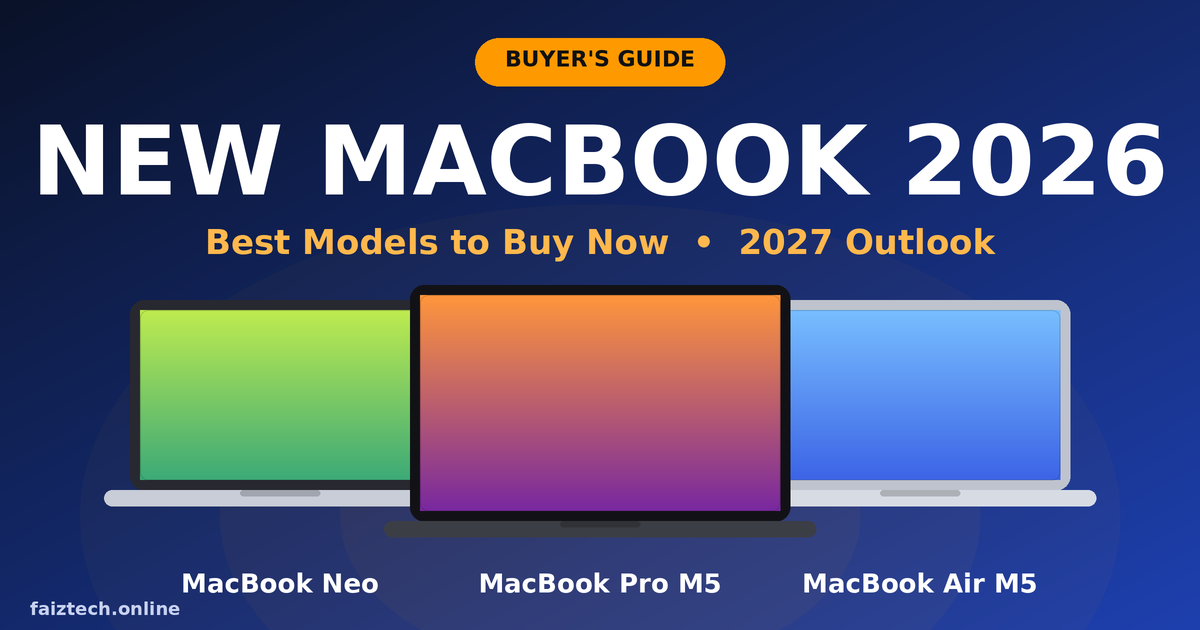
Apple’s laptop lineup has changed more this year than in any year in recent memory. There is a brand-new budget MacBook, a faster MacBook Air and a more powerful MacBook Pro. If you are researching the new MacBook 2026 range, this guide covers every model, who it is for, what it costs and whether you should buy now or wait for the 2027 rumors.
Affiliate disclosure: this article contains affiliate links. As an Amazon Associate, I earn from qualifying purchases, at no extra cost to you.
Why the New MacBook 2026 Lineup Is a Big Deal
For years, Apple’s laptops fit into two simple boxes: Air for everyday users and Pro for professionals. In March 2026, Apple added a third box. The new MacBook 2026 family now has three clear tiers. The MacBook Neo is for budget buyers. The MacBook Air with the M5 chip suits most people. The MacBook Pro with M5 Pro or M5 Max is for heavy work.
Apple also moved the whole range to newer chips and faster wireless support, and it promoted big gains in on-device AI tasks. For students, creators, developers and office workers, that means there is now a MacBook for almost every budget. Let’s go through them one by one.
Quick Comparison: Every New MacBook at a Glance
- MacBook Neo: best for students, first-time Mac buyers and light daily work. Chip: A18 Pro. Screen: 13-inch.
- MacBook Air M5: best for most people, bloggers, freelancers and office work. Chip: M5. Screen: 13.6-inch or 15-inch.
- MacBook Pro M5 Pro / M5 Max: best for video editors, developers, 3D and AI work. Screen: 14-inch or 16-inch.
Prices have moved since launch, so always check the live price on Amazon.
MacBook Neo: The Cheapest New MacBook 2026 Has to Offer

The MacBook Neo is the most surprising Apple laptop in years. It launched in March 2026 with an A18 Pro chip, the same chip family used in iPhones. It has a 13-inch display and comes in fun colors like silver, indigo, blush and citrus. Apple’s original starting price was $599, with lower education pricing, and reports say prices rose by about $100 in June 2026.
Who should buy it: students, parents buying a first laptop, and anyone whose daily work is browsing, email, documents, video calls and streaming. It is not the right pick for heavy video editing or big coding projects. It is built for everyday tasks, not pro workloads.
Pros:
- Lowest price in the MacBook family
- Light and portable
- Fresh colors
- Full macOS experience
Cons:
- Fewer features and ports than the Air
- Less power for demanding apps
🛒 Check MacBook Neo Price on AmazonLive price • Free shipping on eligible orders
MacBook Air M5: The Best New MacBook 2026 for Most People
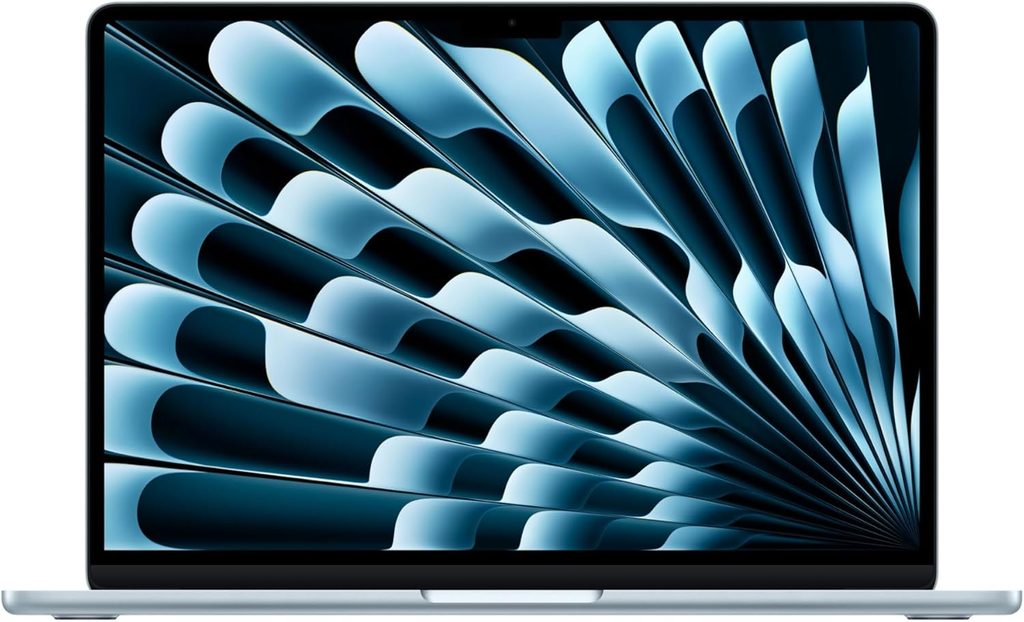
If you want one laptop that does almost everything well, the MacBook Air with the M5 chip is the safest pick. It keeps the thin, fanless design people love. It comes in 13-inch and 15-inch sizes and supports Wi-Fi 7. It now starts with 512GB of storage instead of 256GB. Apple says AI performance is several times faster than the previous generation. Reviewers call it the best MacBook overall for its balance of price, battery life and portability. You can see the official details on Apple’s MacBook Air page.
The 13-inch model gives you maximum portability. The 15-inch gives you more room for spreadsheets, split-screen work and movies. Both are silent because there is no fan inside.
Who should buy it: college students, office professionals, freelancers, bloggers, and anyone who wants a laptop that will last for years.
Smart tip: if you plan to keep your laptop for five years or more, consider 24GB of memory. AI tools and heavy multitasking love extra RAM, and you cannot add it later.
🛒 Check MacBook Air M5 Price on AmazonLive price • Best pick for most people
MacBook Pro M5 Pro and M5 Max: Power for Professionals
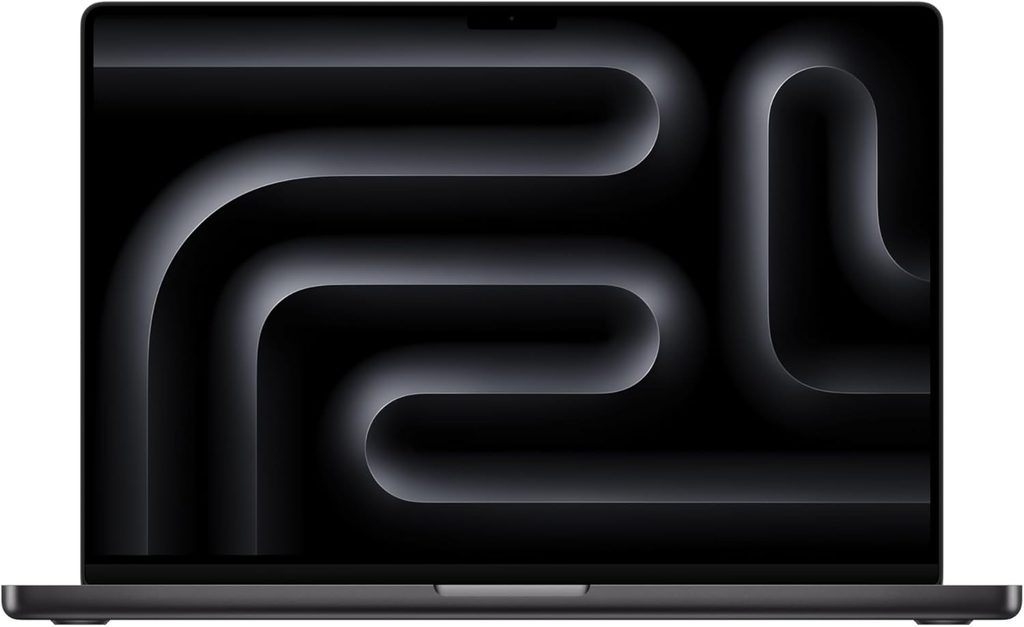
The MacBook Pro with M5 Pro and M5 Max chips arrived in March 2026 in 14-inch and 16-inch sizes, in Space Black and Silver. Both chips use an 18-core CPU, and the M5 Max adds extra graphics power for the heaviest jobs. M5 Pro models start with 1TB of storage and include Thunderbolt 5 and faster SSD speeds. At launch, the 14-inch M5 Pro started at $2,199 and the 16-inch at $2,699. This is the most powerful new MacBook 2026 model for professionals. Full specs are on Apple’s MacBook Pro page.
Who should buy it: video editors, music producers, 3D artists, software developers who run containers or virtual machines, and AI engineers.
Why choose it over the Air:
- Sustained performance under heavy load
- Better ports
- A more professional display
- More memory and storage options
- Long battery life (Apple claims up to 24 hours)
Heads-up: the Pro design is rumored to change in the next generation. I cover that in the 2027 section below.
🛒 Check MacBook Pro Price on AmazonLive price • For pro work
The Base M5 MacBook Pro: A Smart Middle Option
Apple also sells the 14-inch MacBook Pro with the standard M5 chip, announced in October 2025. It sits between the Air and the M5 Pro models. If you want a brighter display, better speakers and more ports than an Air but do not need pro-level chips, this model is worth checking, especially when retailers discount it. Apple has stopped selling the base model with 512GB of storage, so expect 1TB as the starting point.
🔥 See Today’s MacBook Pro M5 Deals
Which New MacBook 2026 Is Right for You?
Choosing the right model is mostly about your workload, not brand hype. Here is a simple guide:
- Students: MacBook Neo for tight budgets, or MacBook Air 13-inch for a longer-lasting laptop
- Bloggers and writers: MacBook Air 13-inch, because it is light, silent and has great battery life
- Developers: MacBook Air with 24GB RAM, or a MacBook Pro if you run heavy tools
- Video editors and designers: MacBook Pro with M5 Pro or M5 Max
- Business travelers: MacBook Air 15-inch or MacBook Pro 14-inch
- Parents and casual users: MacBook Neo
When comparing any new MacBook 2026 configuration, spend your extra budget on memory and storage first. You cannot upgrade either one later. For a deeper comparison, read the Macworld MacBook buying guide.
Specs That Really Matter
- Chip: the M5 family is fast enough for almost everyone. Go to Pro or Max only if your work needs it.
- Memory (RAM): 16GB is a comfortable minimum today. Choose 24GB or more for development, design or AI work.
- Storage: 512GB is fine for light users. Creators should choose 1TB or more, or add a fast external SSD.
- Battery life: the Air is built for all-day use, and the Pro models claim even longer.
- Ports: the Air gives you the essentials. The Pro adds more ports and Thunderbolt 5.
- Warranty: consider AppleCare+ if you travel often. A cracked screen or battery issue costs far more than the plan.
Price Increases and How to Get the Best Deal
Apple raised entry prices on the Air and Pro lines this year, and reports link this to the global memory chip shortage. Reports also say the Air and the Neo saw further increases in June 2026. Because sticker prices are higher, smart buying matters:
- Compare prices on Amazon, Apple Education Store and authorized resellers
- Watch for Black Friday and Cyber Monday deals in November
- Consider the previous-generation M4 MacBook Air, which can be cheaper while stock lasts
- Check certified refurbished models if you want to save more
Black Friday is usually the best time to find a discount on a new MacBook 2026 model. Apple’s own prices rarely move much, so retailers like Amazon often give the better deal.
MacBook 2027 Outlook: What Is Coming Next
Rumors about the next big MacBook Pro are strong. Reports from well-known Apple news sources like 9to5Mac say the M6 MacBook Pro will bring the first redesign in about five years, with a thinner body, an OLED display and touch support. Some reports also mention possible cellular connectivity. Timing has moved between late 2026 and early 2027, and none of this is confirmed by Apple, so treat it as a rumor until Apple announces it.
What does this mean for you? If you want a Pro and can wait a few months, the redesign could be worth it, though first-generation designs usually cost more. If you need a laptop now, the Air and Neo are the better choice, because most of the big rumored changes focus on the Pro line. Even if 2027 models arrive, the new MacBook 2026 lineup will stay a strong buy for years, since Apple supports its Macs with software updates for a long time.
Should You Buy Now or Wait?
Buy now if:
- Your current laptop is slow, old or no longer gets updates
- You need a laptop for work or college right now
- You are choosing between the Neo and Air
- You find a good holiday discount
Wait if:
- You want the redesigned OLED MacBook Pro specifically
- You are happy with your current laptop for another six months
For most people, the new MacBook 2026 models are good enough that waiting is not necessary.
Best Accessories to Pair With Your New MacBook
Every new MacBook 2026 buyer should budget for a protective case, a USB-C hub and AppleCare+. A few more accessories are worth considering:
- USB-C hub or dock: for HDMI, USB-A and SD card slots, especially with the slim Air and Neo
- Laptop stand: for better posture and cooler operation
- Portable SSD: for extra storage and backups
- Wireless mouse and keyboard: for desk setups
- Screen protector and sleeve: to keep the laptop looking new
Frequently Asked Questions
Is the new MacBook 2026 worth buying?
Yes. The lineup covers budget, everyday and professional needs with faster chips, better storage and newer wireless support. Prices are higher than last year, but the performance and long software support make it a solid long-term purchase.
Which MacBook is best for students?
The MacBook Neo is the best budget pick, and the MacBook Air M5 is the best long-term pick. Check Apple’s education pricing before you buy.
Is the MacBook Neo good enough for coding?
It handles basic coding, web development and learning well. For heavy tasks like large projects, virtual machines or local AI models, choose an Air with more memory or a Pro.
What is the best new MacBook 2026 for video editing?
The MacBook Pro with M5 Pro or M5 Max is the best choice thanks to its stronger graphics, more memory options, better display and ports.
Will Apple release a new MacBook in 2027?
Reports point to a redesigned MacBook Pro with an OLED display around late 2026 or early 2027. Apple has not confirmed it, so check Apple’s website for official news.
Final Verdict: Which New MacBook 2026 Should You Buy?
Here is the simple answer. Pick the MacBook Neo if price matters most. Pick the MacBook Air M5 if you want the best balance for the money. Pick the MacBook Pro M5 Pro or M5 Max if your income depends on heavy creative or technical work. Whichever one you choose, the new MacBook 2026 lineup gives you faster performance, better storage and a long useful life.