Artificial Intelligence (AI) is no longer a futuristic concept—it is the engine powering the modern internet. From the personalized recommendations on your favorite shopping app to the chatbots helping you troubleshoot your internet, AI is everywhere. However, training these powerful AI models requires immense computing power, storage, and speed. This is where AI workloads in the cloud come into play.
In this guide, we will break down what AI workloads are, why they are better suited for the cloud, and how you can get started today.
What Are AI Workloads?
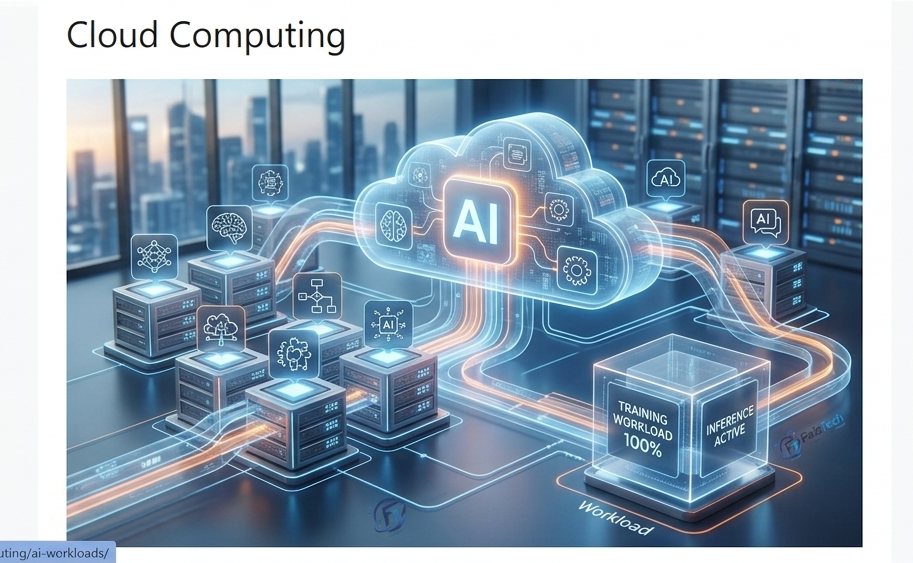
Simply put, an AI workload refers to the tasks required to build, train, and run an AI model. Think of it like building a house. First, you need to collect the raw materials (data), then you need the tools and labor to build the structure (training), and finally, you have the finished house that serves a purpose (inference/application).
In the tech world, this process is divided into two main phases:
- Training: This is the “learning” phase where the model consumes massive datasets to understand patterns. It is resource-heavy and requires high-performance hardware.
- Inference: This is the “application” phase where the trained model is used to make predictions or decisions in real-time.
Why Move AI Workloads to the Cloud?
Building your own physical server room to handle AI tasks is expensive, difficult to maintain, and hard to scale. Cloud providers like AWS, Microsoft Azure, and Google Cloud have revolutionized this by offering “AI as a Service.”
1. Infinite Scalability
AI training often requires thousands of processors for a few days, and then zero for the rest of the month. With the cloud, you can “rent” massive computing power when you need it and switch it off when you don’t. This flexibility is impossible with on-premise hardware.
2. Cost Efficiency
Hardware like GPUs (Graphics Processing Units) is incredibly expensive. Instead of buying them, you pay for what you use. This model, often called FinOps, helps developers manage their budgets effectively while still accessing top-tier tech.
3. Access to Advanced Tools
Cloud providers offer pre-built AI frameworks, data storage solutions, and high-speed networking that would take months to set up manually. Whether you are working on Kubernetes containers or simple virtual machines, the cloud provides the perfect environment.
Key Challenges in Managing AI Workloads
While the cloud makes AI accessible, it comes with its own set of hurdles:
- Data Latency: If your data is too far from your computing resources, it will slow down your AI model. This is why Edge Computing is becoming so popular, bringing the cloud closer to the user.
- Rising Costs: If not monitored correctly, cloud bills can skyrocket. Using tools to track your usage and opting for “Spot Instances” (cheaper, unused cloud capacity) is a smart way to save money.
- Security and Compliance: Since AI models often handle sensitive user data, ensuring that your cloud setup follows strict security protocols—like Zero-Trust—is vital.
Best Practices for Optimizing AI in the Cloud
If you want to run your AI projects like a pro on your website, follow these steps:
- Choose the Right Hardware: Not every task needs an expensive GPU. Use CPUs for simple tasks and reserve GPUs for heavy lifting.
- Use Containerization: Technologies like Docker and Kubernetes allow you to package your AI models so they run exactly the same way, whether on your laptop or a cloud server.
- Automate Your Workflows: Use “Infrastructure as Code” (IaC) to automatically set up your server environments. This saves time and reduces human error.
- Monitor Everything: Use logging tools to track your AI’s performance and your cloud spending in real-time.
The Future: Cloud, AI, and You
As we move further into 2026, the gap between cloud infrastructure and AI will continue to shrink. We are seeing a massive shift toward AI Agent Meshes and specialized cloud services that are specifically designed to speed up the AI development lifecycle.
For developers and tech enthusiasts like us, the cloud is the ultimate playground. By mastering how to deploy AI workloads on platforms like AWS, you are not just learning a skill—you are positioning yourself at the forefront of the technological revolution.
Final Thoughts
AI workloads in the cloud are the bridge between a good idea and a working product. By leveraging the power of the cloud, you can build smarter, faster, and more efficient AI applications without breaking the bank.
Are you ready to start your first AI project on the cloud? Start small, use the resources provided by platforms like AWS, and don’t be afraid to experiment. If you have questions about setting up your first EC2 instance or optimizing your site’s performance, feel free to check out the rest of my guides here at FaizTech!